
7
Review
Billing team questions, answered in the app.
1Badge on Review2Open the card3Reply4We take it from there
Watch the flow
Answer Medbill in the app
WHEN WE NEED YOU
1Open a question
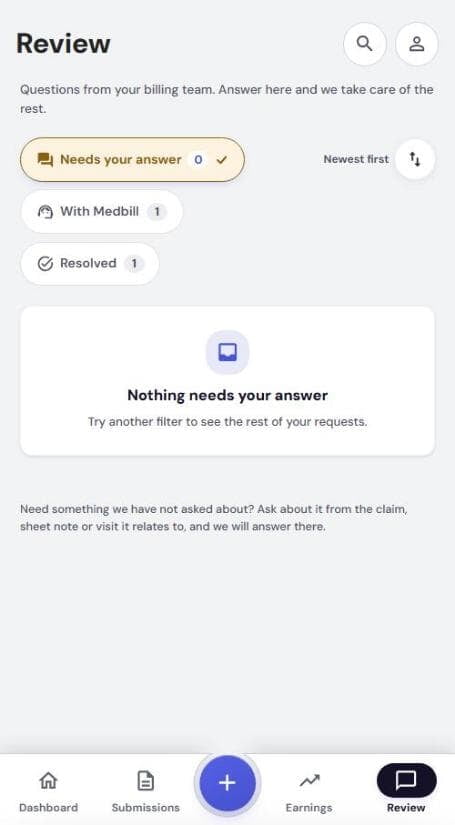
- Number on Review = questions waiting
- Tap Review
- Needs your answer opens first
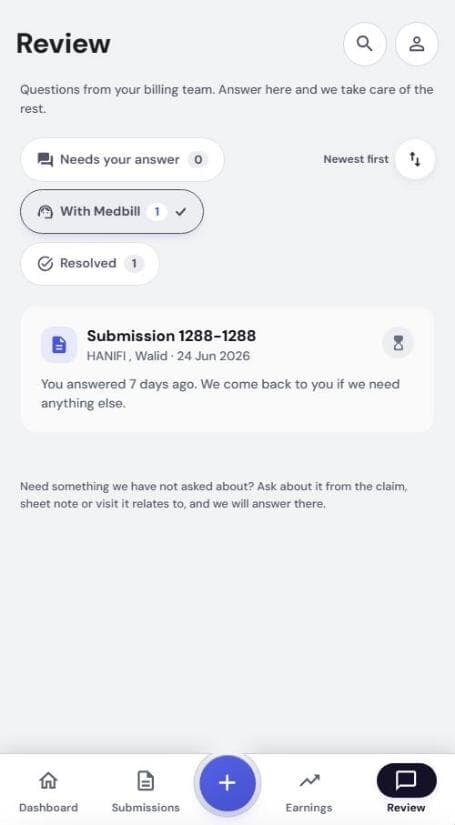
- Tap a card to open it
| Group | Means |
|---|---|
| Needs your answer | We are waiting on you |
| With Medbill | You replied. We are on it |
| Resolved | Closed. Reply to reopen |
REPLY
2Answer in the conversation
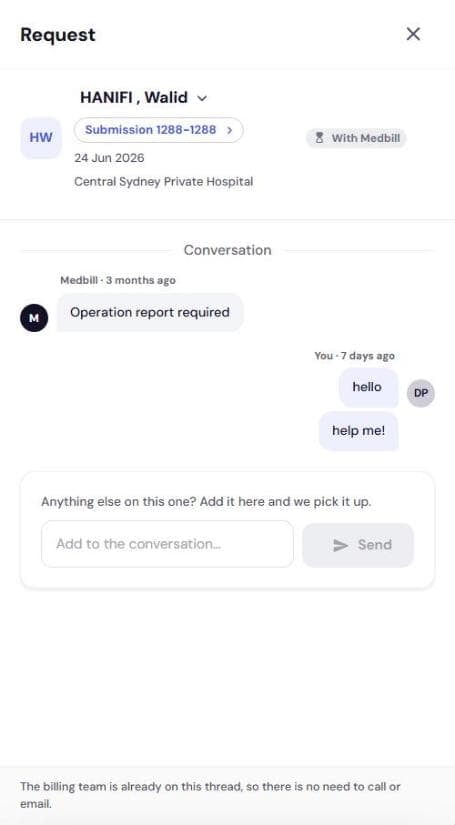
- Read our message
- Type in Add to the conversation…
- Tap Send
- Card moves to With Medbill
No call or email needed. We are on the thread.
ASK US FIRST
3Ask about a claim yourself
- Open the claim. Questions card shows if one exists
- Answer = waiting on you. View = with us
- Same conversations as Review