
6
Your Earnings
Billed, paid, owed. Who paid. Every invoice.
1Pick dates2Read the panels3Open invoices4Export
Watch the flow
Earnings at a glance
START HERE
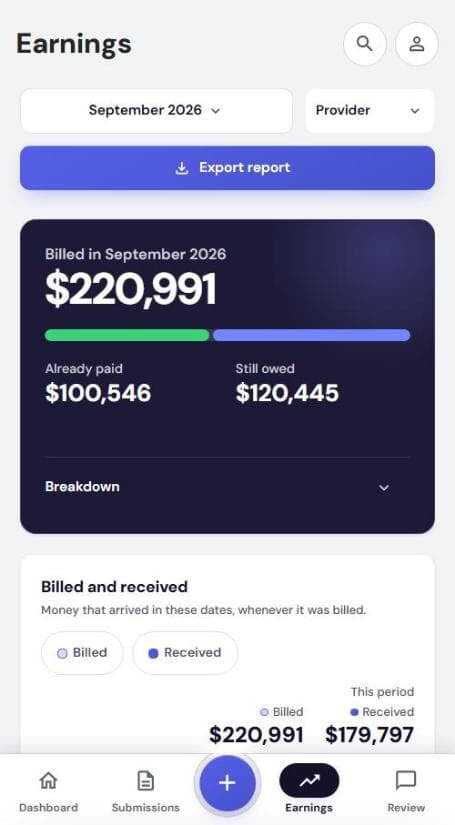
1Pick the dates and provider
- Tap the month button to change dates
- Provider filters one provider number
- Billed in: Already paid vs Still owed
- Breakdown: received vs billed
SCROLL DOWN
2The panels
| Panel | Shows |
|---|---|
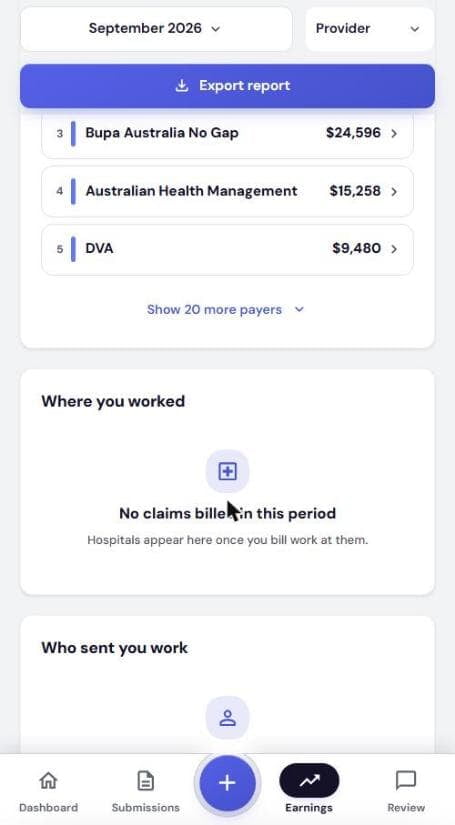
| Billed and received | Chart: billed vs received |
| Where it came from | Funds and patients, ranked |
| Where you worked | Billing by hospital |
| Who sent you work | Billing by referring doctor |
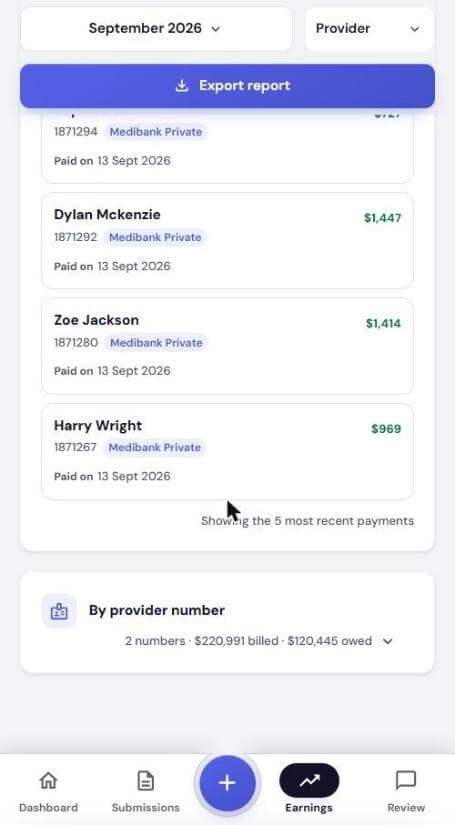
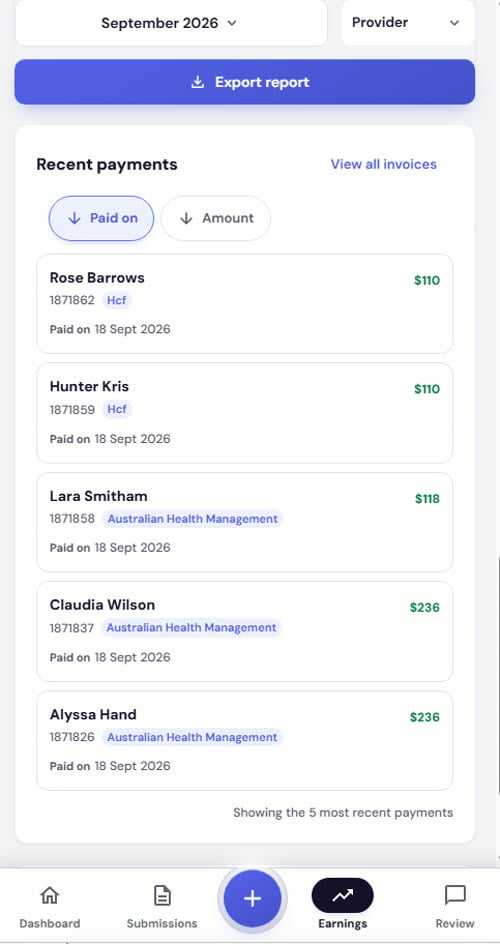
| Recent payments | Last 5. Tap to open invoice |
| By provider number | Billed and owed per number |
Tap a fund to see its invoices.
INVOICES
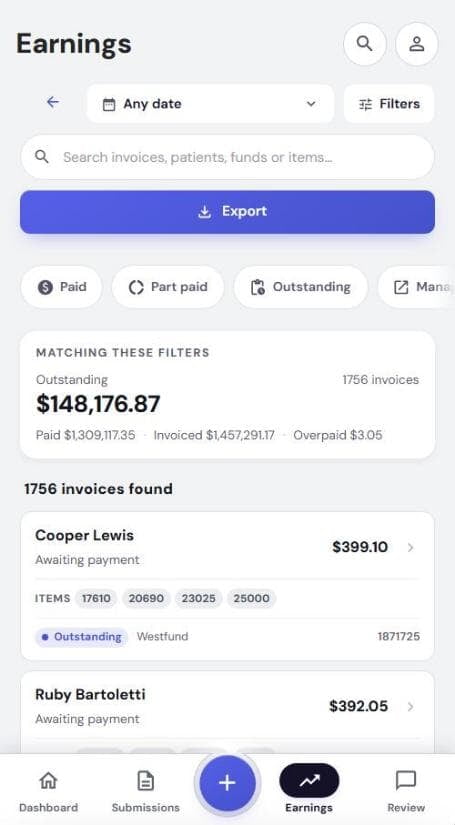
3Find any invoice
- Tap View all invoices
- Filter by date or status
- Search invoice, patient, fund or item
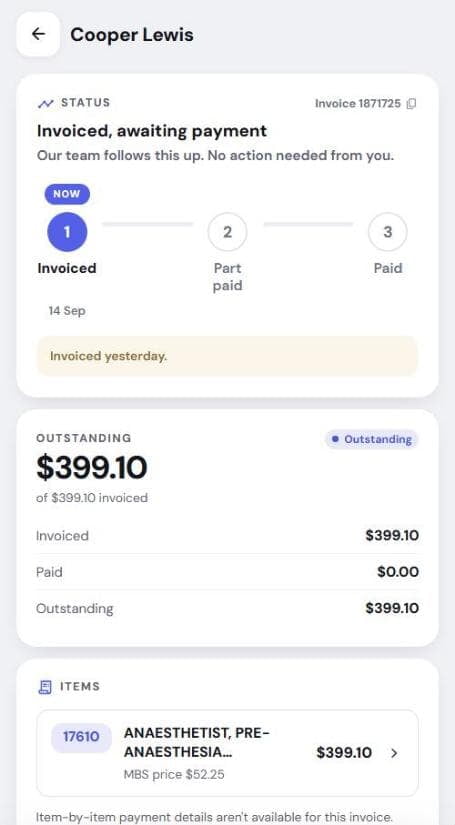
- Tap on a patient to view the invoice details
| Invoice status | Means |
|---|---|
| Invoiced | Awaiting payment. We chase it |
| Part paid | Part received, rest owed |
| Paid | Paid in full |
| Managed elsewhere | Handled outside the app |
FOR YOUR ACCOUNTANT
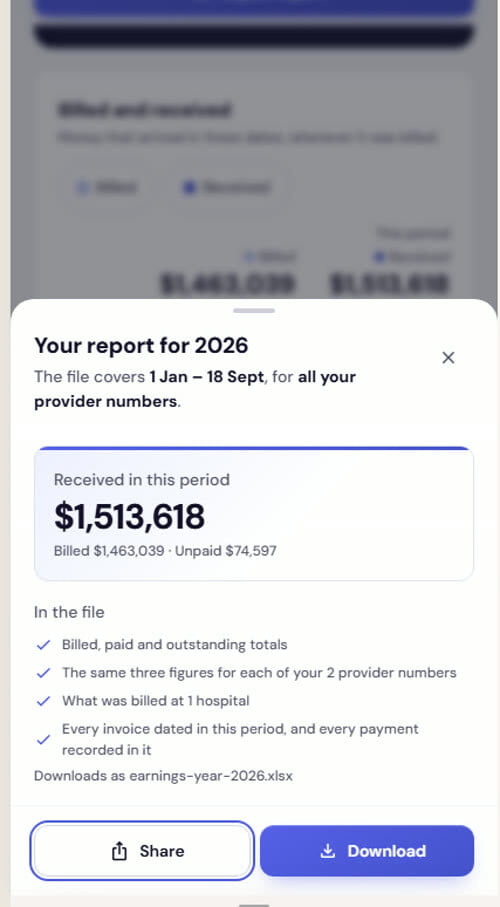
4Export a report
- Tap Export report
- Check In the file
- Download: Excel file to your phone
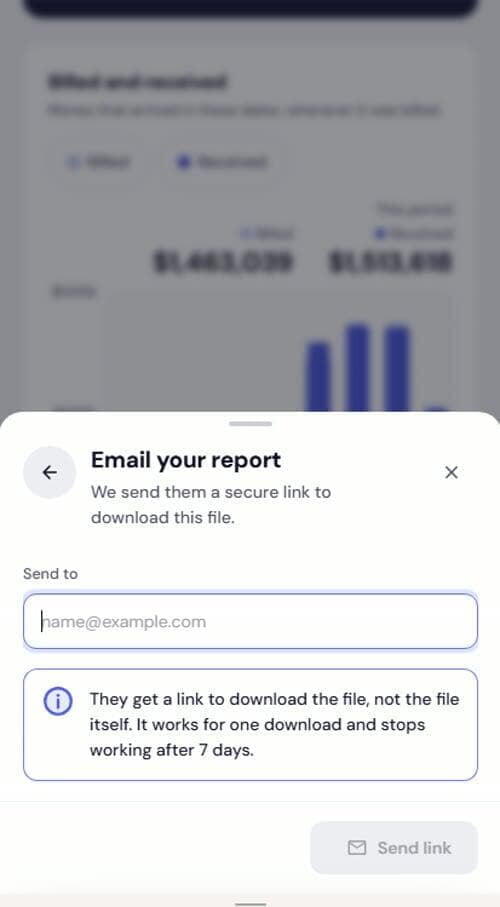
- Share: send it on. Pick Email your report, enter Send to, tap Send link
Link expires.They get a download link, not the file. One download, stops after 7 days.
New account? No earnings yet shows until the first fund pays.