Capture & Submit Billing — For Anaesthetists
Anaesthetics billing follows the same patient-first flow as physician billing, with a few extras: required initiation items, time-based billing, and a choice of four gap types.
The complete workflow looks like this:
Add Your Patient
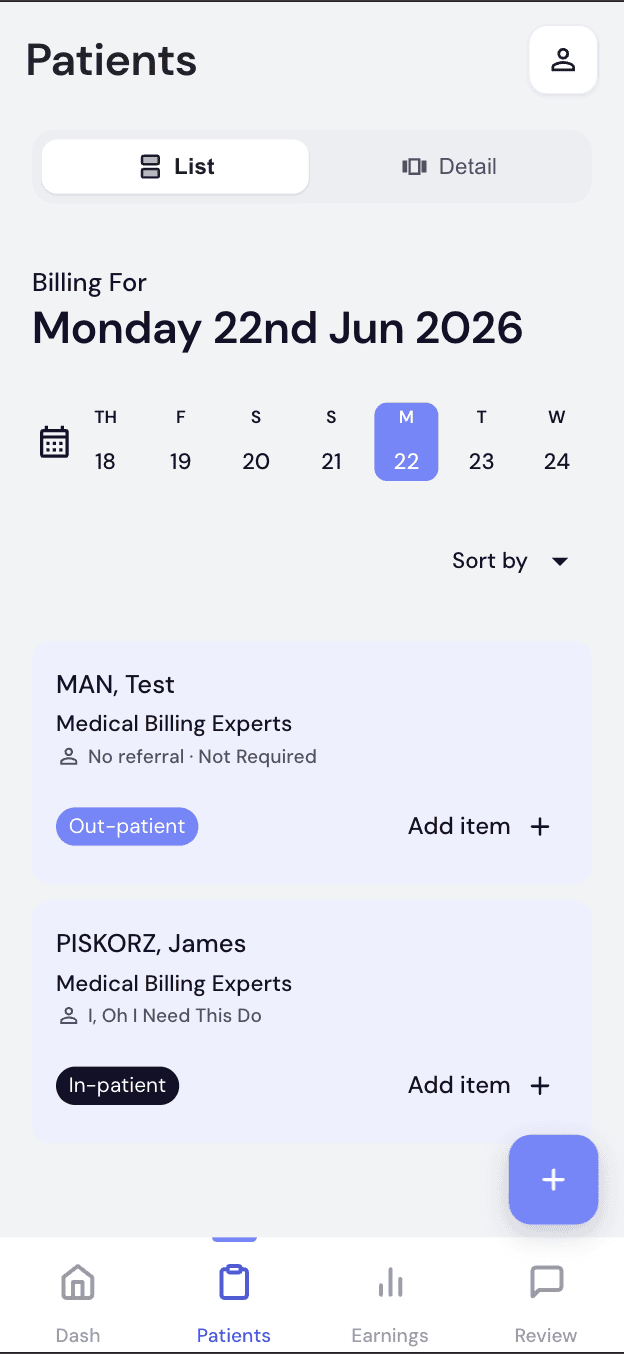
Add patients the same way as Section 3. Each card also shows whether the patient is an Out-patient or In-patient. Tap "Add item" on their card to start billing.
Open the Billing Sheet
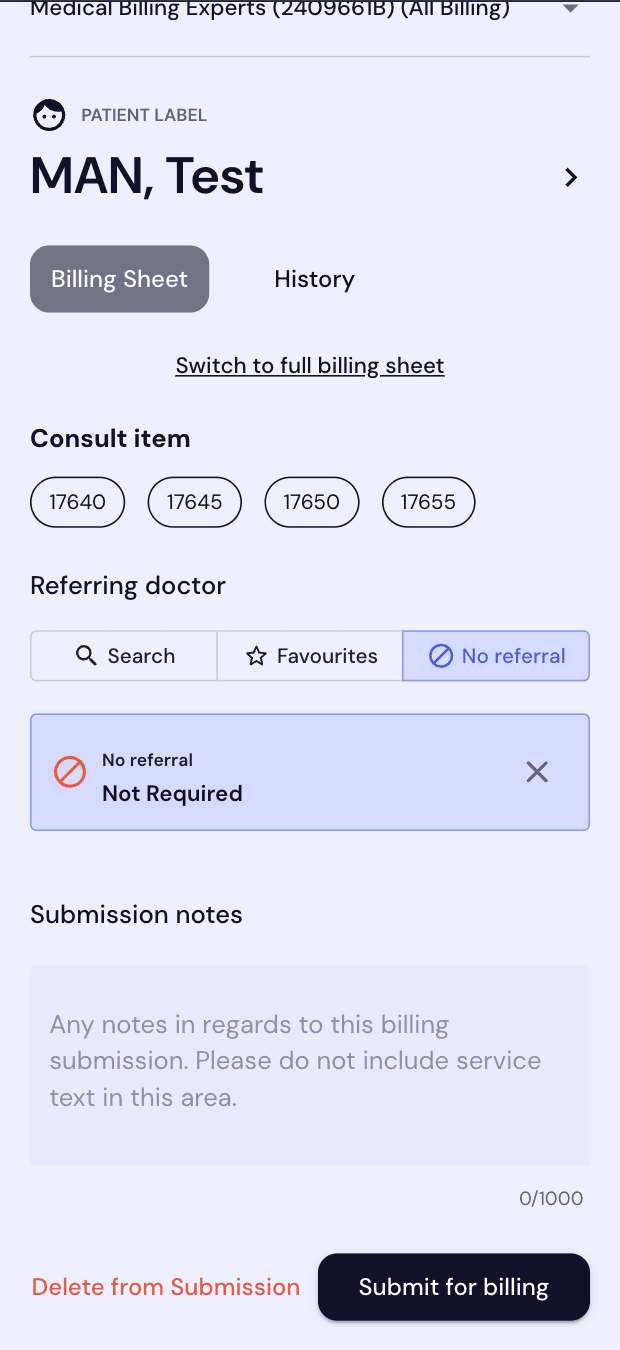
Tapping "Add item" opens a quick Billing Sheet with common consult items.
- Choose a Consult item for a quick bill, or
- Tap "Switch to full billing sheet" for initiation items, time-based billing, and modifiers
Add Consult & Initiation Items
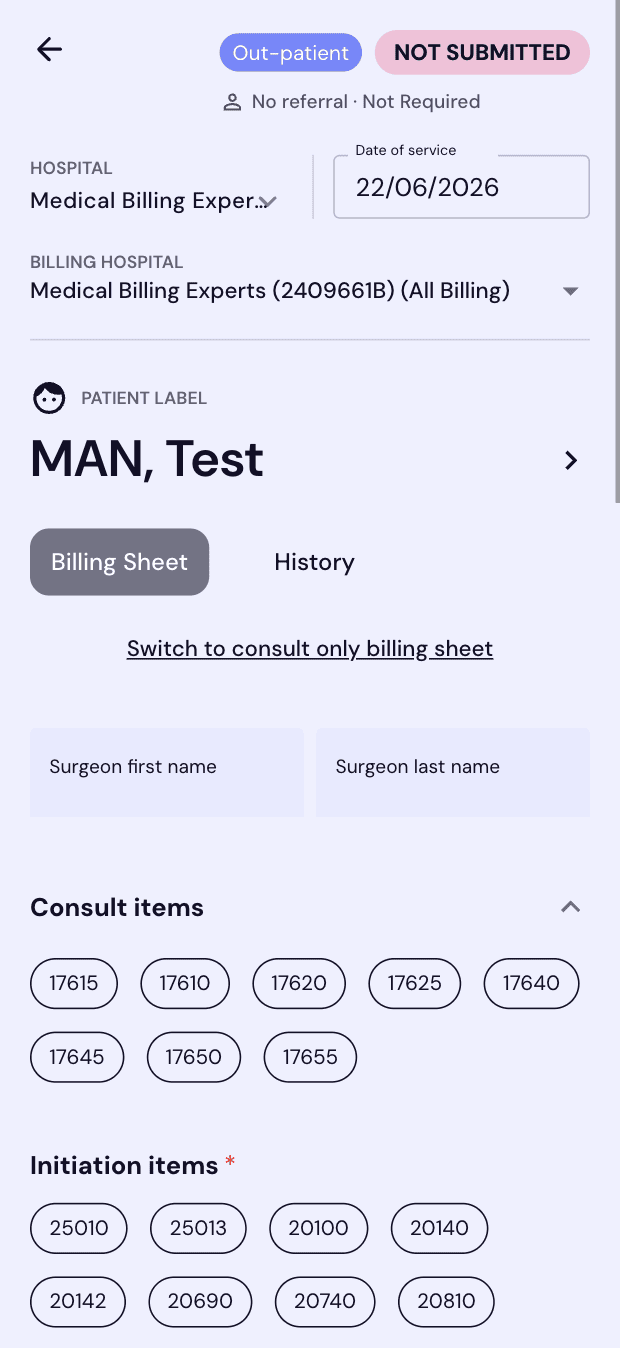
The full billing sheet adds a Surgeon name, plus item categories specific to anaesthetics.
- Enter Surgeon first/last name (optional)
- Select any Consult items
- Select at least one Initiation item
Unlike Consult items, Initiation items are marked with a red asterisk — you must select at least one to submit an anaesthetics claim.
Add a Time-Based Item
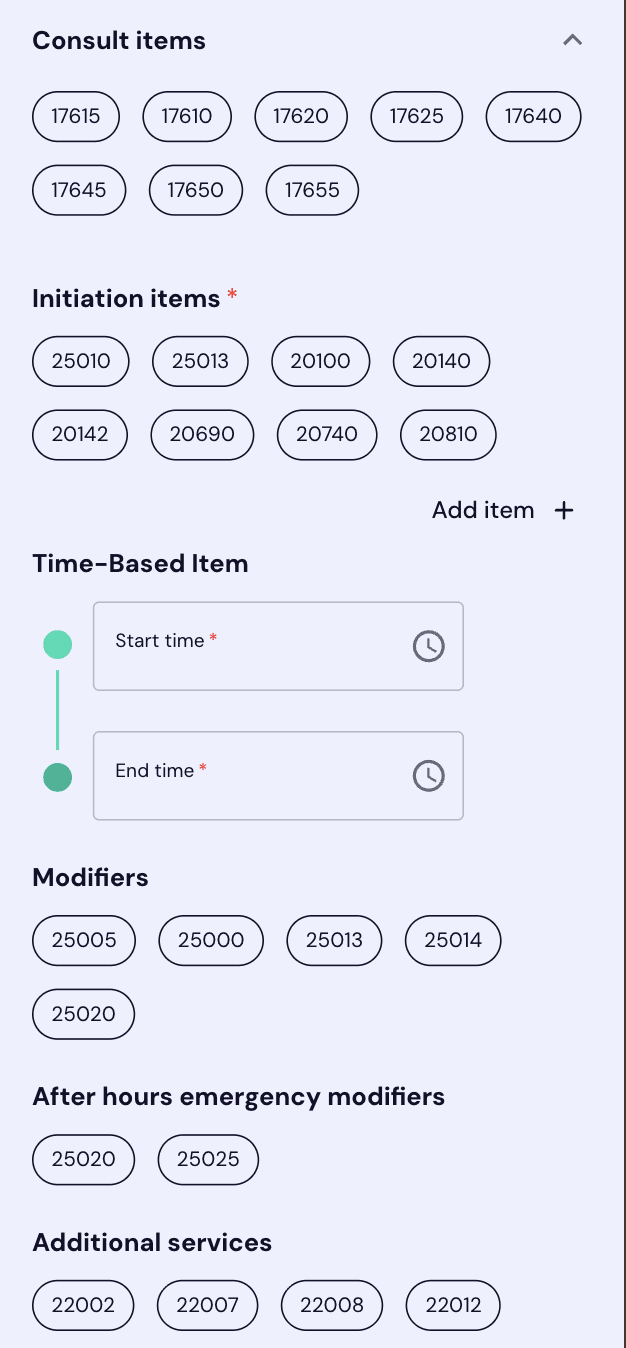
Anaesthetics is billed by duration. Scroll down to record the exact time spent, then add any modifiers that apply.
- Tap Start time and End time under Time-Based Item
- Add Modifiers or After hours emergency modifiers if they apply
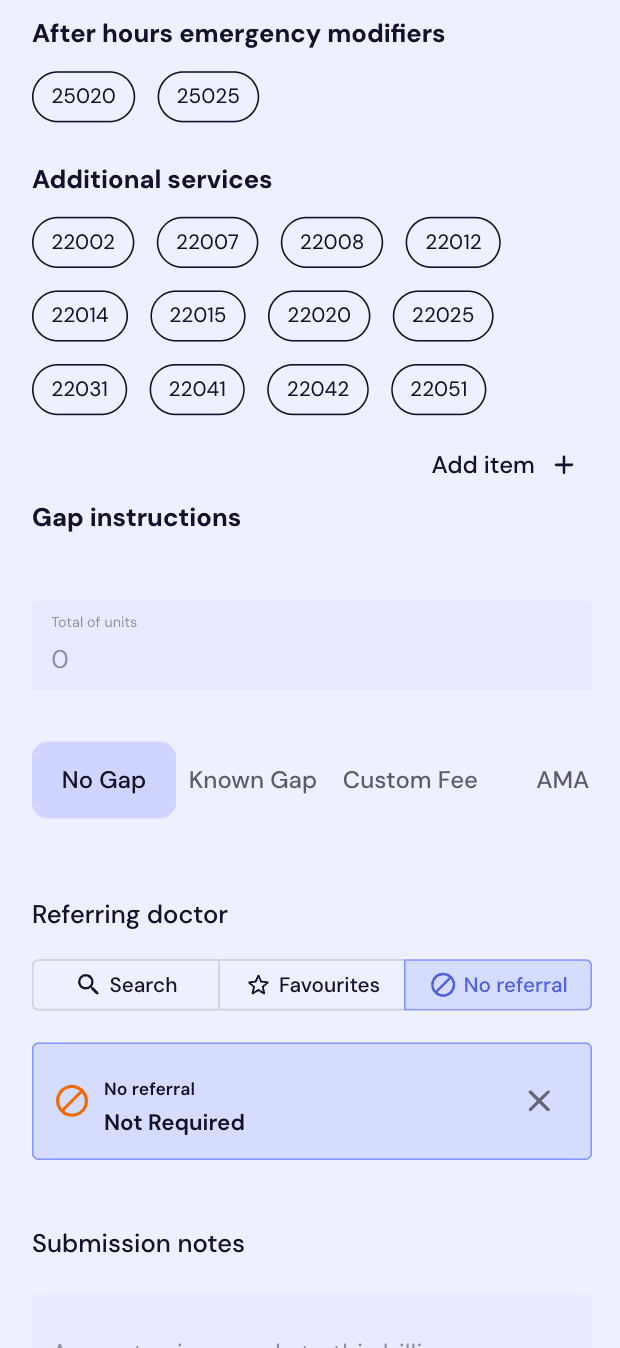
- Add any Additional services provided
Referrals
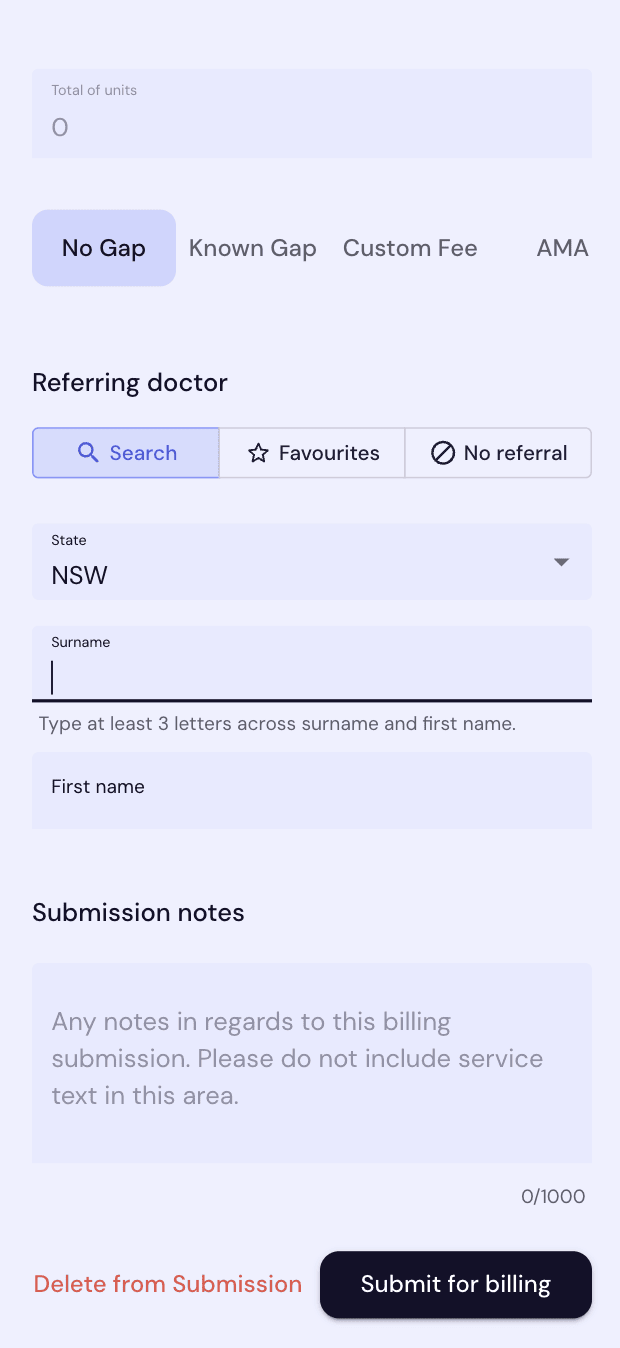
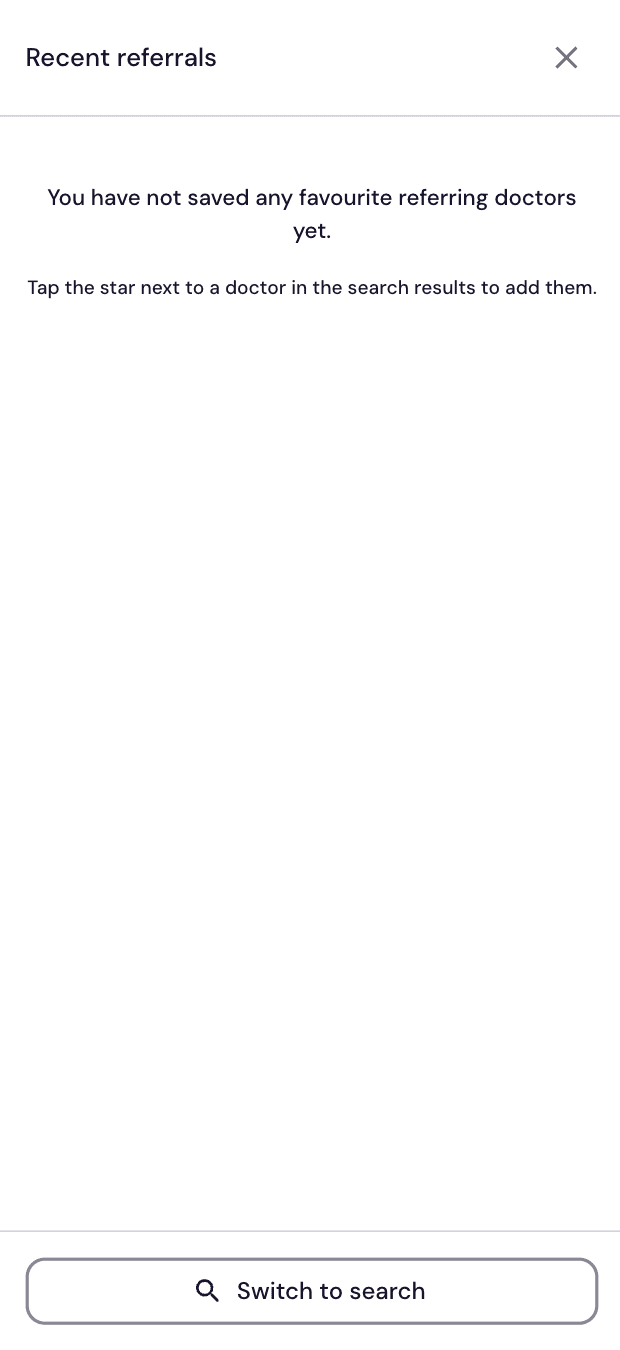
Link the referring doctor to the claim — search for them, pick a favourite, or note that there's no referral.
- Search — Enter State, then Surname (3+ letters) and First name
- Favourites — Pick a saved referring doctor, or tap "Switch to search"
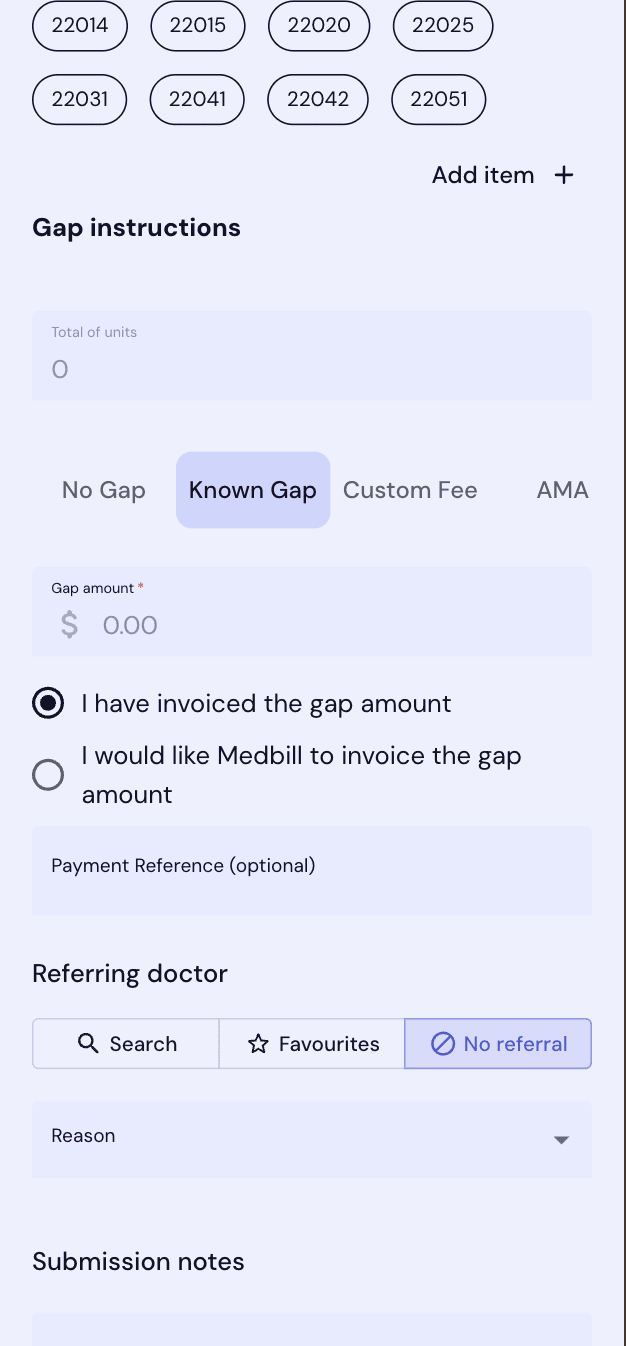
- No referral — Select a Reason code from the dropdown
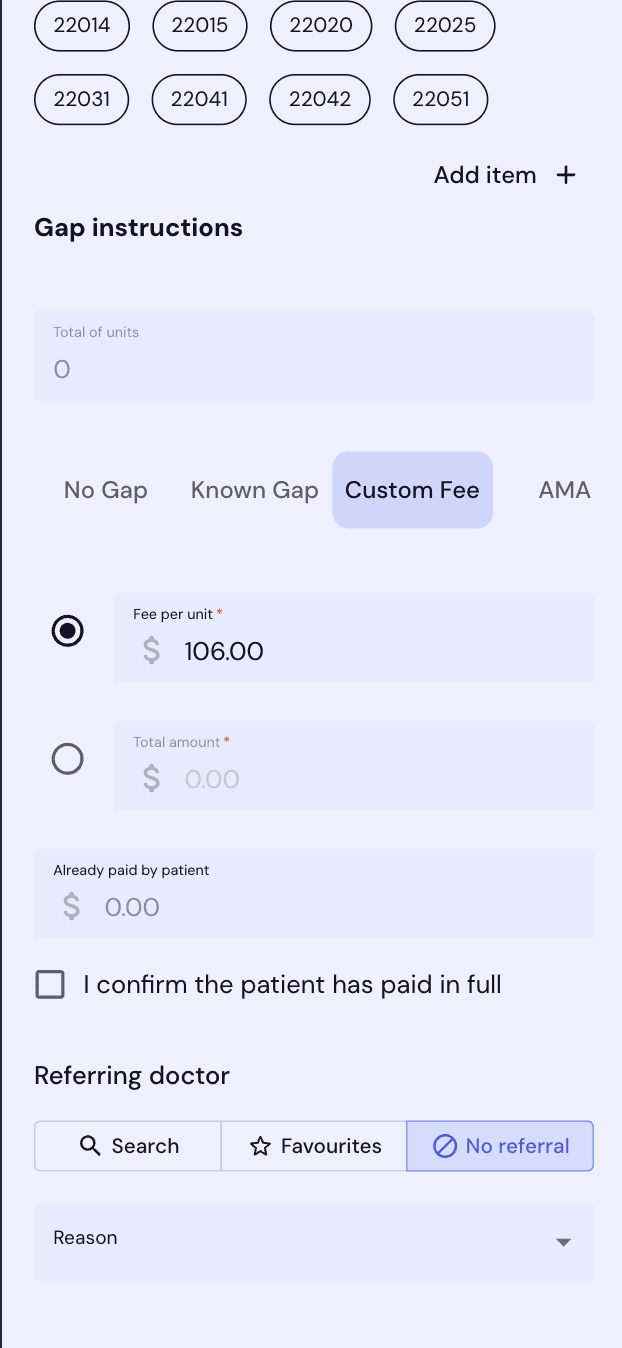
Choose a Gap Type
Under Gap instructions, choose how any gap between the fee and the scheduled benefit is handled.
No Gap
No out-of-pocket cost for the patient.
Known Gap
Enter the gap amount and choose who invoices it — you, or Medbill on your behalf.
Custom Fee
Set a fee per unit or a total amount, and record anything already paid.
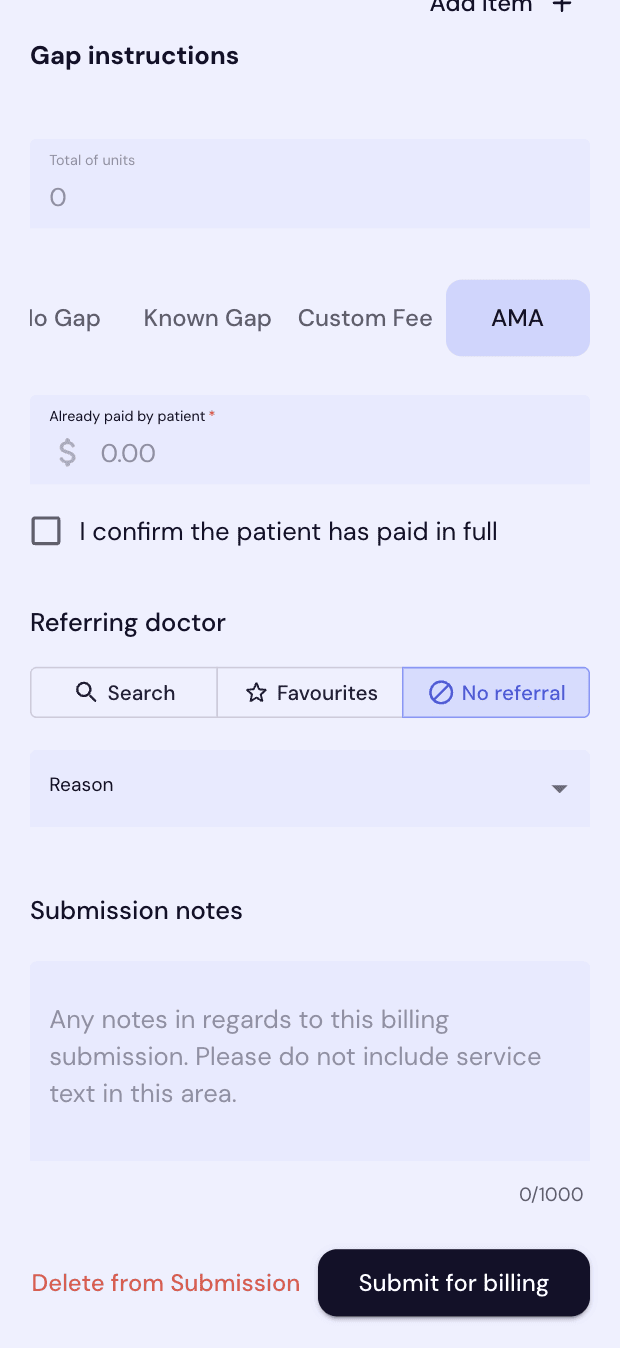
AMA
Bill at the AMA rate and record anything already paid by the patient.
Search for Specific Item Numbers
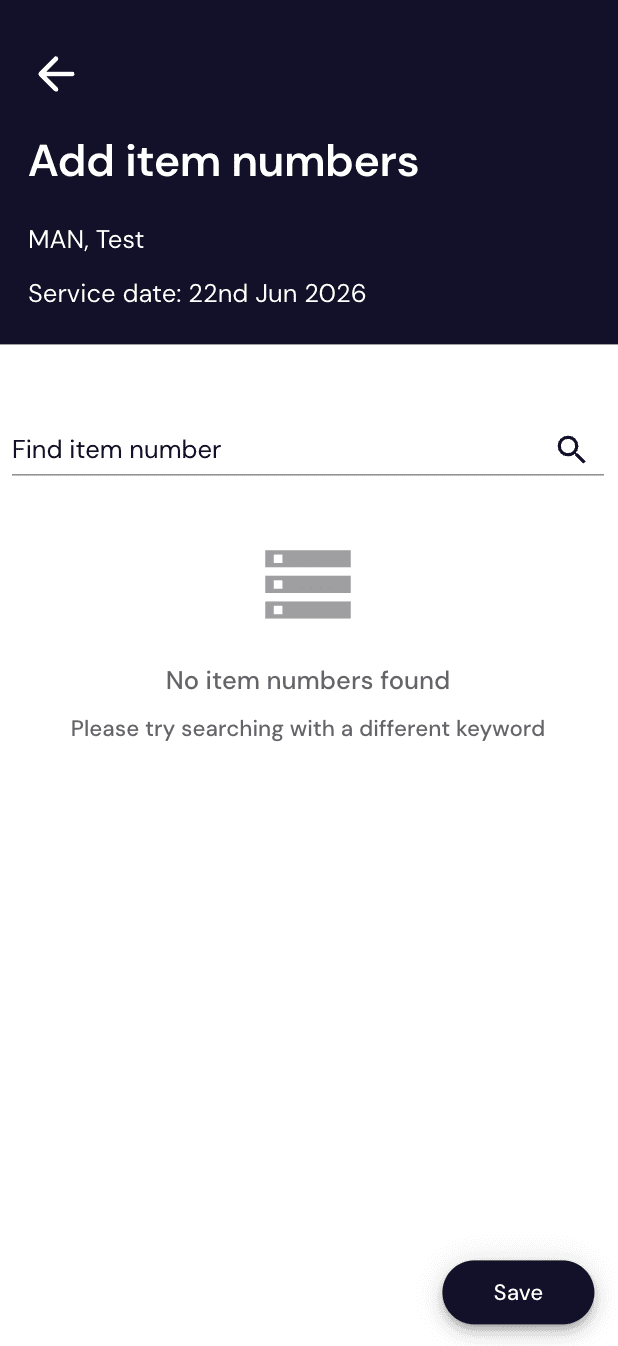
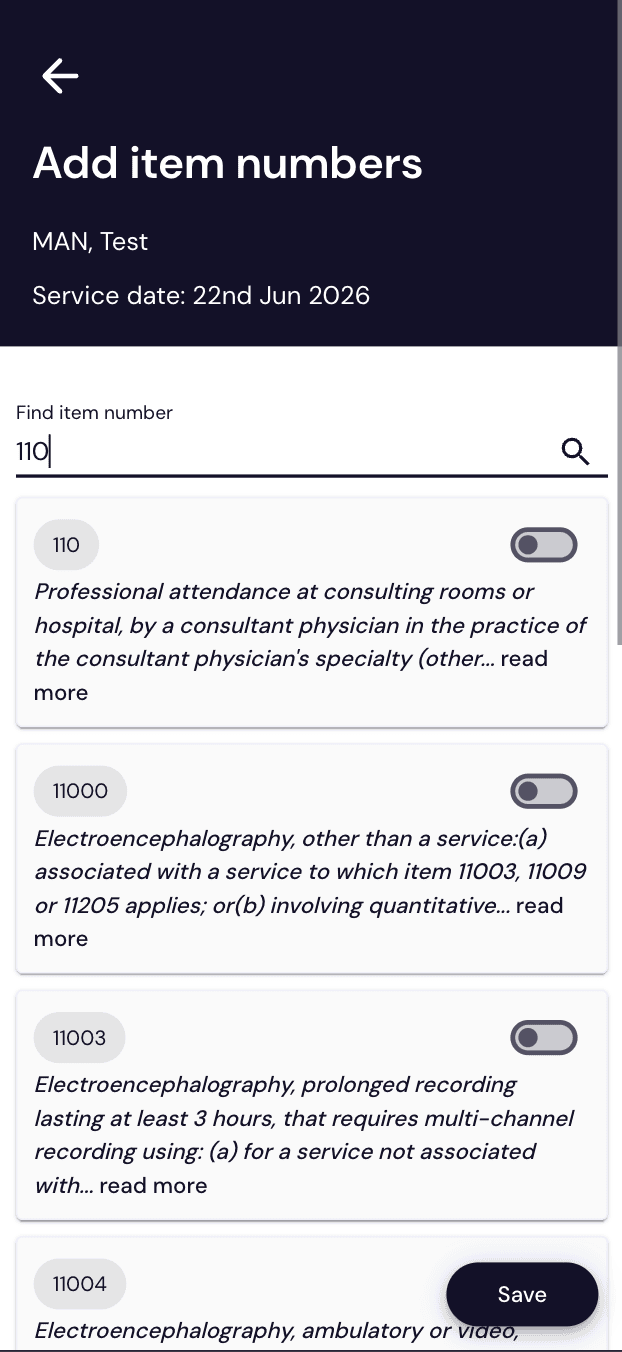
Can't find a code in the quick-pick bubbles? Search the full item list.
- Tap any "Add item +"
- Search by code (e.g. "110") or keyword
- Toggle on the items you need, then tap Save
Submit for Billing
Add any Submission notes, then Submit for Billing.
- Type notes in Submission notes (max 1000 characters, optional)
- Tap "Submit for billing"
- Made a mistake? Tap "Delete from Submission" to remove it before submitting