
5B-1
Anaesthetist billing: No gap
Start to finish for a patient with no out-of-pocket gap.
Billing a gap? Switch to Known gap.
Add the patient, tap an initiation item, enter times, set the referral, submit. No gap is already on.
1Add patient2Open sheet3Initiation4Times5Modifiers6Gap7Referral8Submit
Watch the flow
Anaesthetist sheet, No gap
START
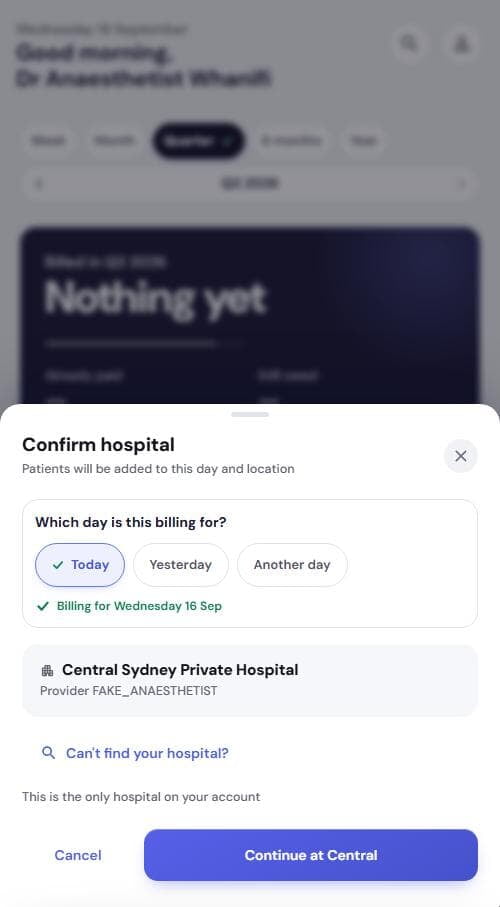
1Add the patient
- Tap +, then Bill a patient
- Pick Today, tap Continue at your hospital
- Sticker photo, or Continue manually
- Add patient, then View that day. Detail: Add patients
SHEET
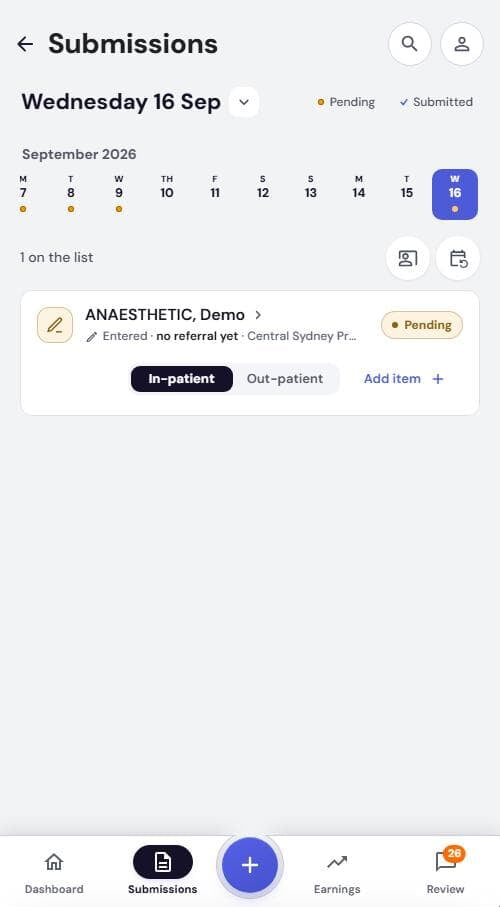
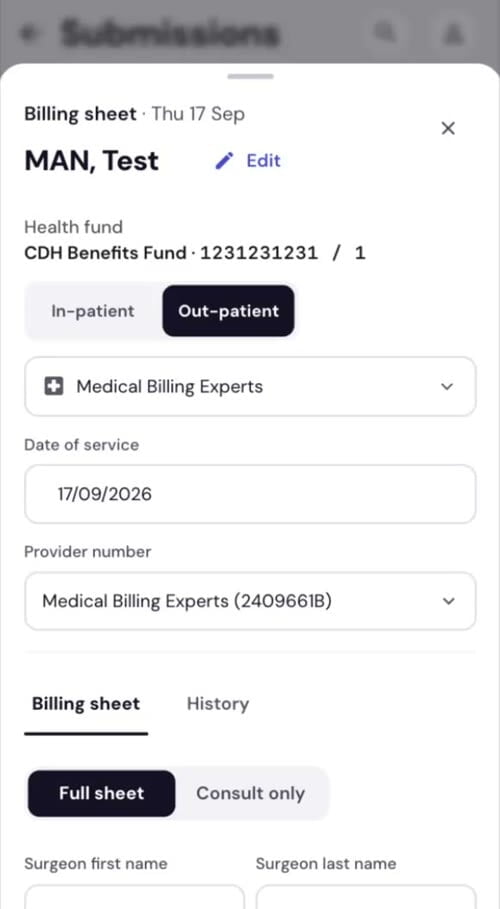
2Open the billing sheet
- Set In-patient or Out-patient
- Tap the card or Add item
- Check Date of service and Provider number
- Leave Full sheet on
Consult only = consult items, referral, note. No anaesthetic.
REQUIRED
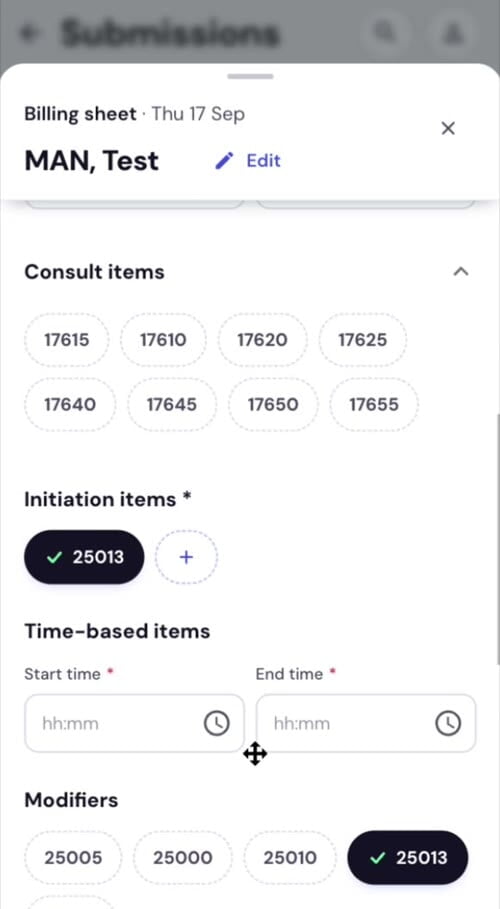
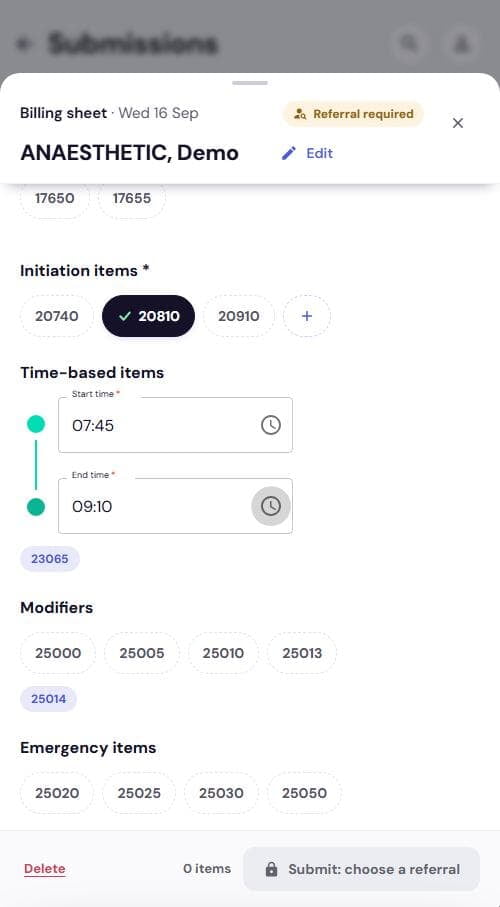
3Tap the initiation item
- Tap 20740, 20810 or 20910 under Initiation items
- Other item? +, search, tap, Save
- Surgeon name and Consult items optional
REQUIRED
4Enter start and end time
- Start time hh:mm
- End time hh:mm
- Time item appears as a tag, e.g. 23065
IF NEEDED
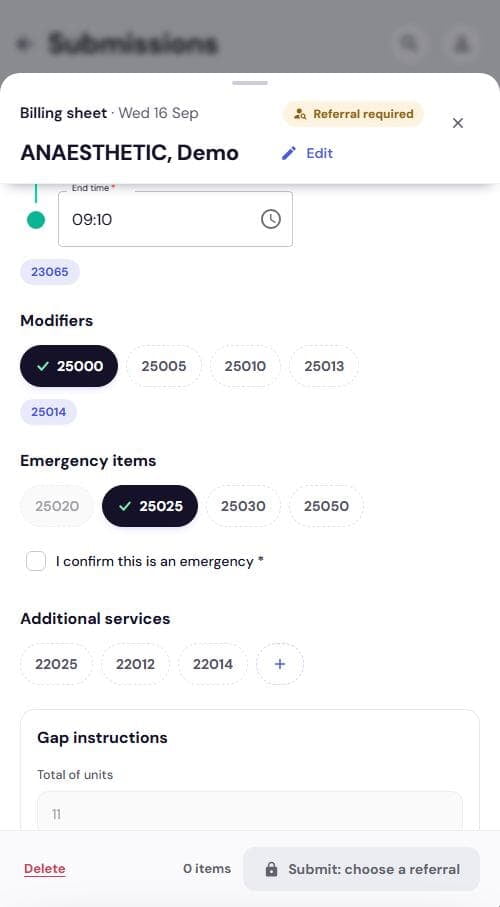
5Modifiers, emergency, extras
- Modifiers: 25000, 25005, 25010, 25013
- 25014 auto for under 1 or over 75
- Emergency items: 25020 or 25025, then tick to confirm
- Additional services: 22025, 22012, 22014 or +
GAP
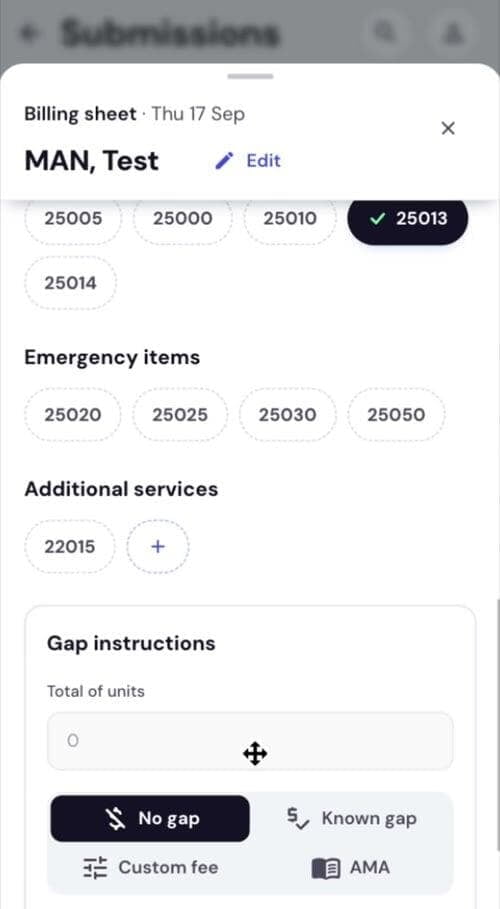
6Leave No gap selected
- No gap is preselected. Nothing to enter
- Total of units is read only
Charging a gap? Use Known gap.
REQUIRED
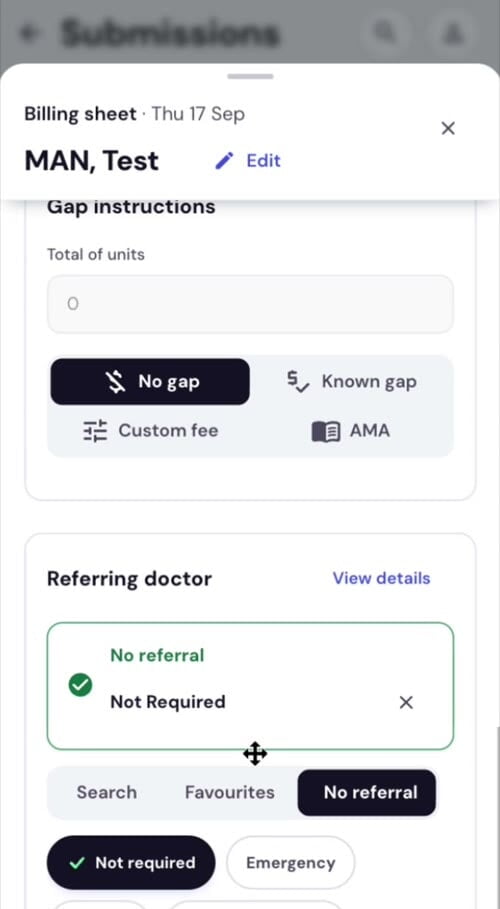
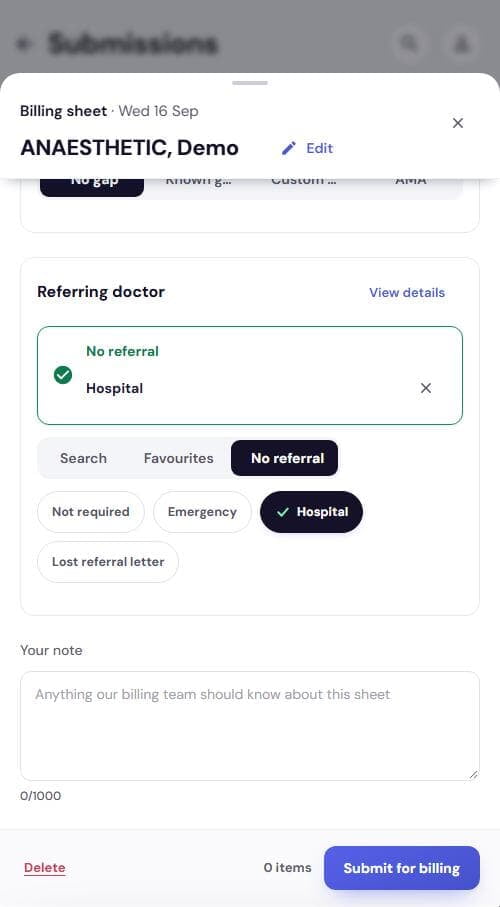
7Set the referring doctor
- Search: state, surname, first name
- Favourites: tap a saved doctor
- No referral: pick a reason
- Card turns green, tag disappears
SEND
8Submit for billing
- Your note if needed
- Tap Submit for billing
| Button reads | Means |
|---|---|
| Submit: add item numbers | No initiation item yet |
| Submit: choose a referral | Items in, referral missing |
| Submit for billing | Ready to send |
One sheet at a time. The app says what is missing when you tap Submit.
Sheet at a glance
| Field | Required? | What to enter |
|---|---|---|
| Surgeon first name / Surgeon last name | Optional | Who you worked with |
| Consult items | Optional | 17610 to 17655 |
| Initiation items | Required | 20740, 20810, 20910 or + |
| Start time / End time | Required | hh:mm. Time item appears as a tag |
| Modifiers | Optional | 25000 to 25013. 25014 automatic by age |
| Emergency items | Optional | 25020 or 25025 (tick to confirm), 25030, 25050 |
| Additional services | Optional | 22025, 22012, 22014 or + |
| Gap instructions | Default | No gap. Nothing to enter |
| Referring doctor | Required | Search, favourite, or a No referral reason |
| Your note | Optional | Up to 1000 characters |