
5C
Surgeon & surgical assistant billing
Procedure items, your role on the claim, gap type, then submit one sheet at a time.
Pick your role. Tap procedure items, set the gap, set the referral or surgeon, submit.
1Add patient2Open sheet3Role4Procedure items5Gap6Referral or surgeon7Submit
Watch the flow
Surgeon sheet
Watch the flow
Surgical assistant sheet
START
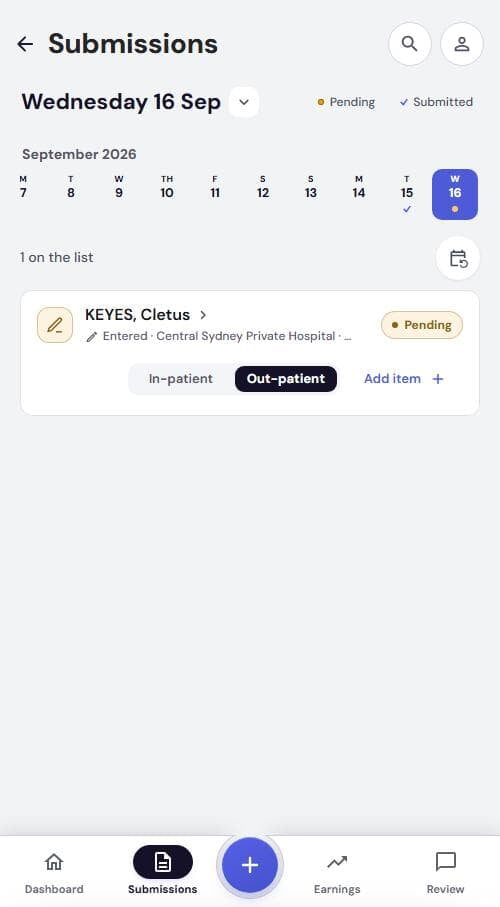
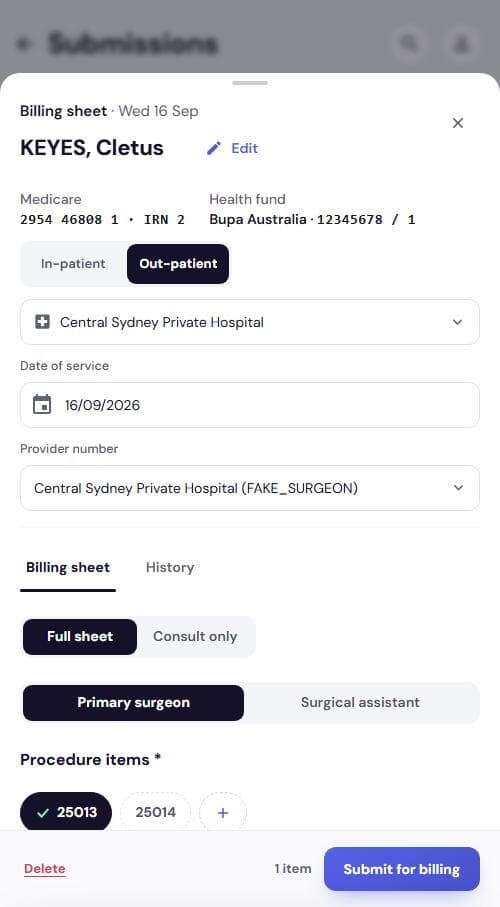
Open the sheet and pick your role
- Add the patient (Add patients)
- Tap the card or Add item +
- Check Date of service, Provider number
- Role on this claim: Primary surgeon or Surgical assistant
ITEMS
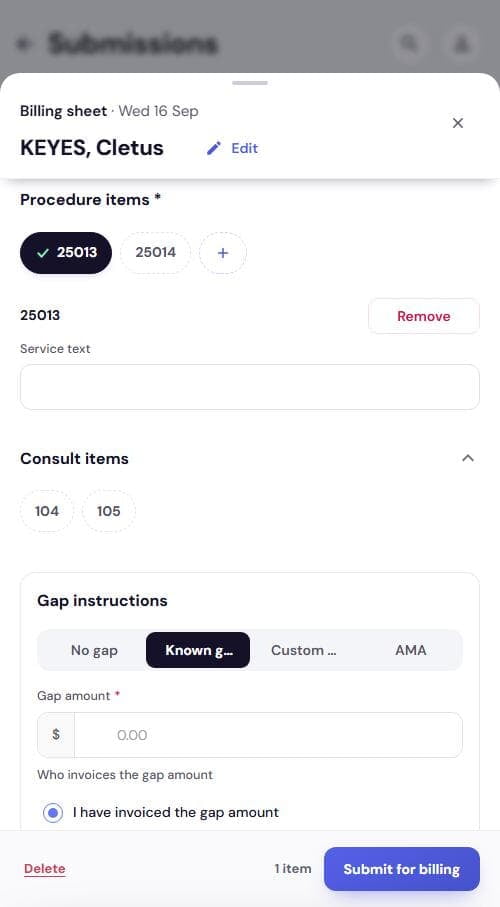
Procedure items and service text
- Tap your items under Procedure items *
- Other item? +, search, tap, Save
- Each item gets a Service text row. Say what was done
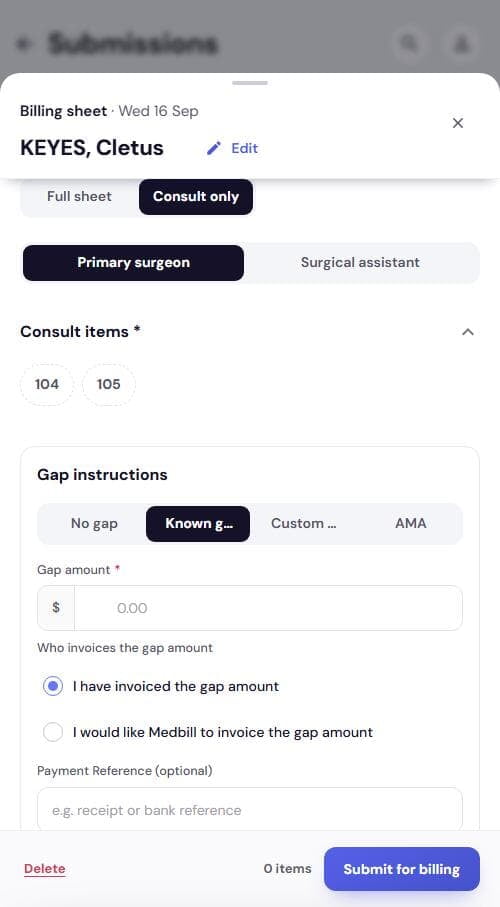
- Consult items 104, 105 sit underneath
GAP
Gap instructions
Starts on Known gap.
| Gap type | What to enter |
|---|---|
| No gap | Nothing more |
| Known gap | Gap amount *, who invoices, optional reference |
| Custom fee | Total amount *, Already paid by patient, confirm tick |
| AMA | Already paid by patient *, confirm tick |
One total, no units. No per-unit fee on surgeon sheets.
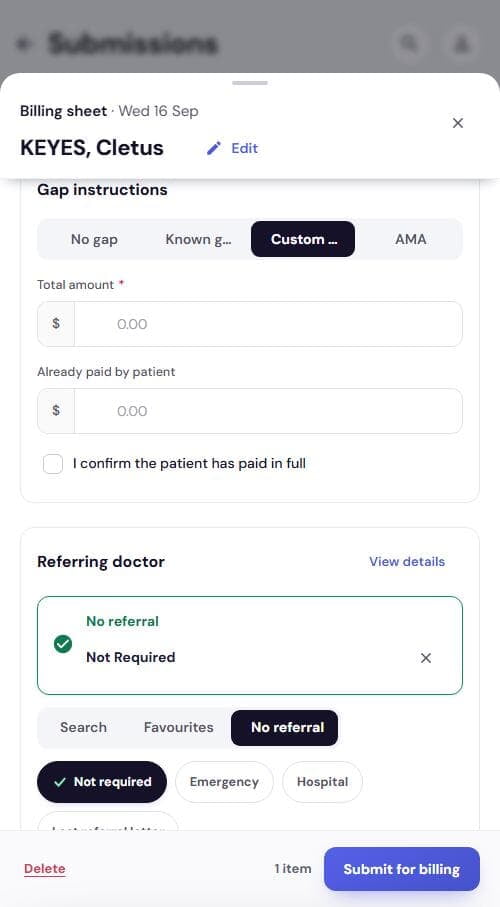
PRIMARY SURGEON
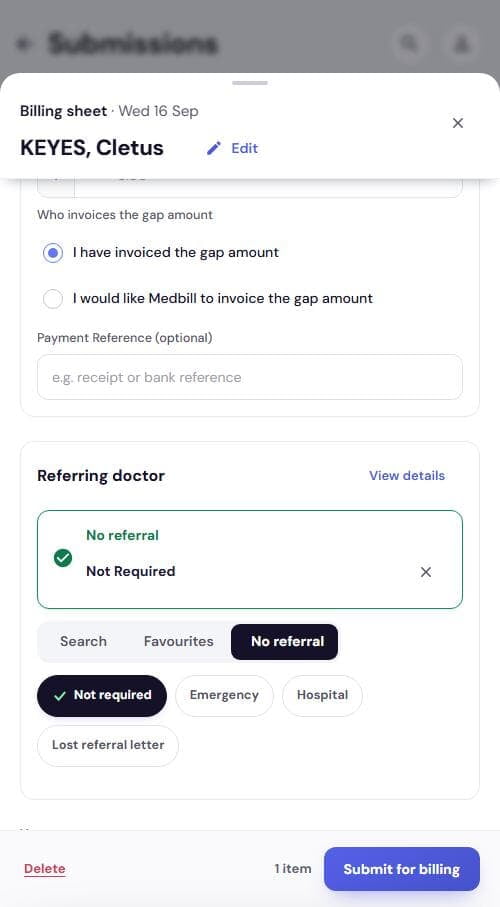
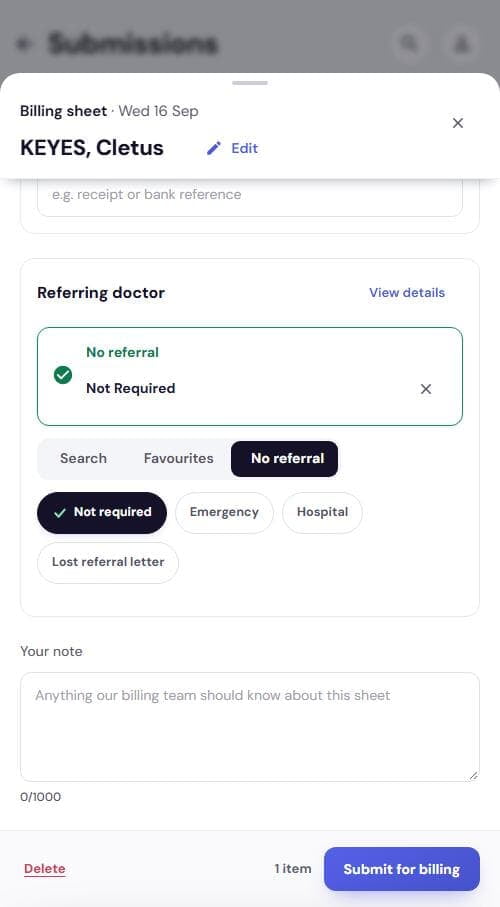
Set the referral
- Search, Favourites or No referral
- No referral: Not required, Emergency, Hospital, Lost referral letter
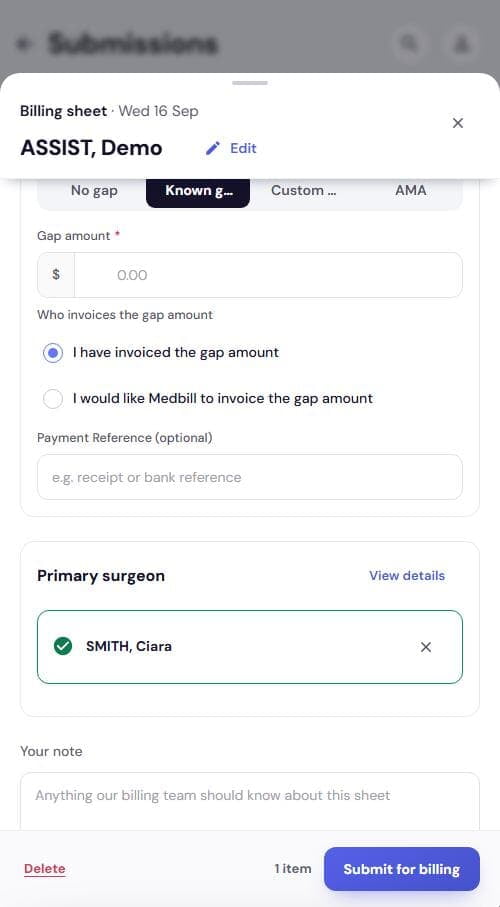
- Card turns green once set
- Your note if needed
SURGICAL ASSISTANT ACCOUNT
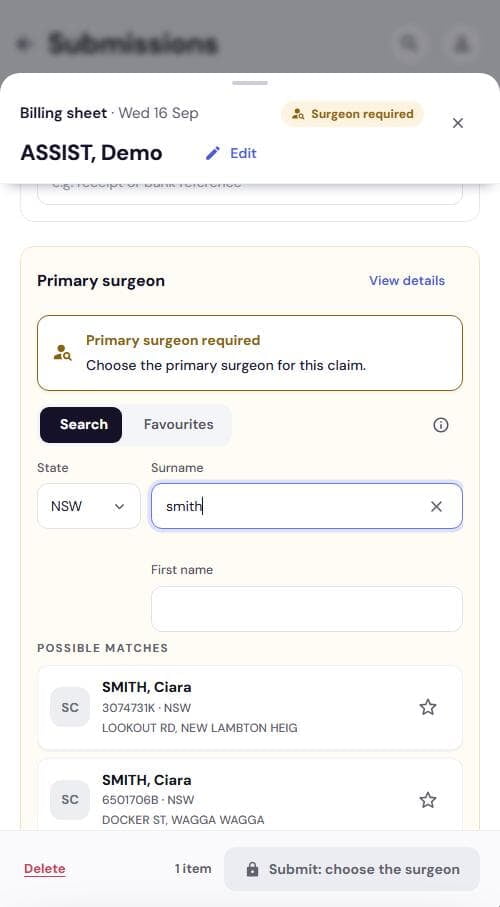
Assisting? Choose the surgeon, not a referral
- Tag reads Surgeon required. Role fixed, no sheet-type switch
- Tap items, add Service text, set the gap
- Primary surgeon card: Search surname or pick a Favourite
- Tap the surgeon. Submit for billing unlocks
No referral needed. The surgeon replaces it.
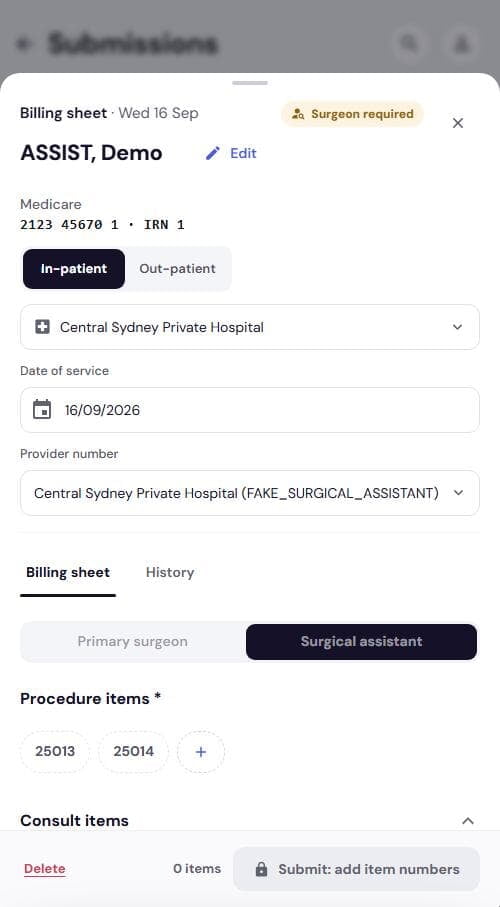
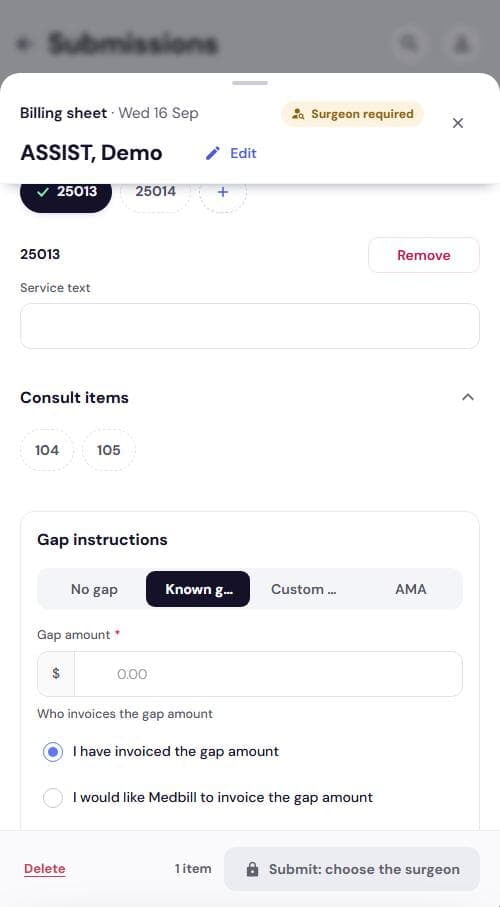
SURGEON SWITCHING ROLE
Surgeon acting as assistant on one claim
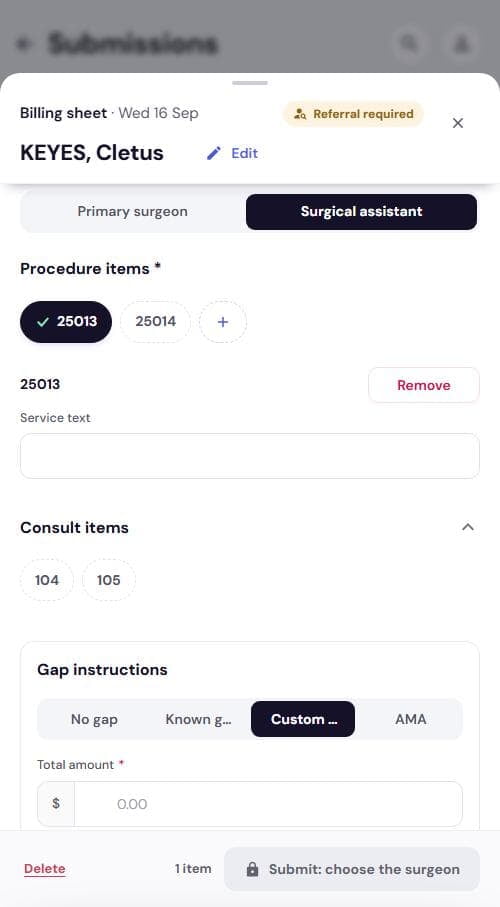
- Tap Surgical assistant under Role on this claim
- Sheet-type switch disappears
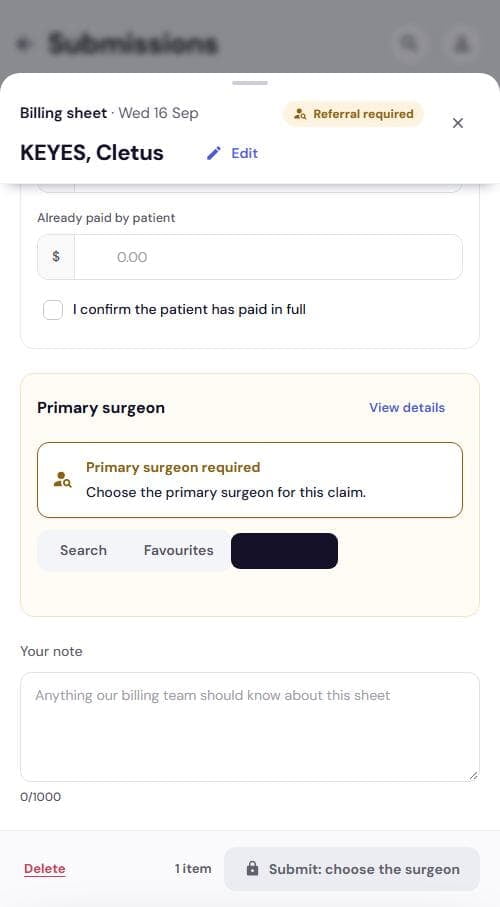
- Referral card becomes Primary surgeon
- Submit locks to Submit: choose the surgeon
CONSULT ONLY
Consult without a procedure
- Tap Consult only at the top
- Pick one of Consult items * 104, 105
- Gap and referral stay. Submit as usual
Careful: Consult only clears ticked procedure items.
SEND
Submit the sheet
- Check the footer count, e.g. 1 item
- Tap Submit for billing
- Locked label names what is missing
- One sheet at a time, no whole-day send
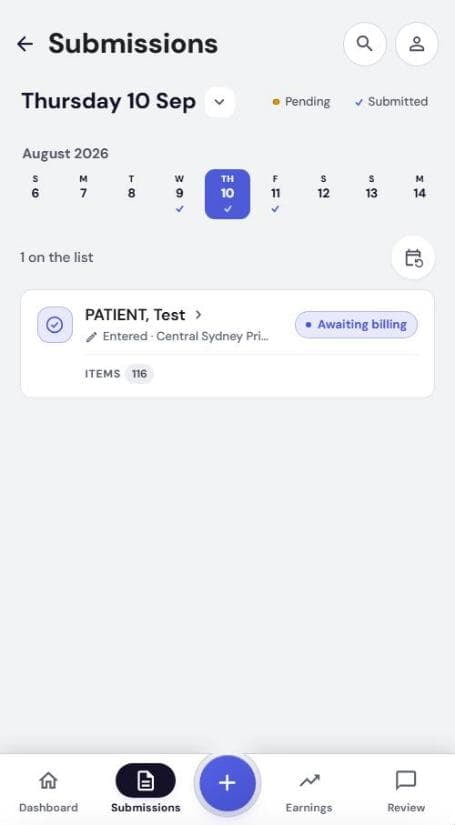
After you submit: the day row shows Awaiting billing. Our team takes it from there.
Sheet at a glance
| Field | Required | Notes |
|---|---|---|
| Role on this claim | Yes | Primary surgeon or Surgical assistant |
| Procedure items * | Yes (Full sheet) | Chips + + search; one Service text row per item |
| Consult items | Only in Consult only | 104, 105 |
| Gap instructions | Yes | Starts on Known gap; Total amount for Custom fee |
| Referring doctor | Yes (primary surgeon) | Search, Favourites, or a No referral reason |
| Primary surgeon | Yes (surgical assistant) | Search or Favourites only |
| Your note | No | Up to 1000 characters |