10
Need Help?
Support is available directly within the app. Tap your profile icon in the top right, then select "Get Help".
Step 1 · Open your profile
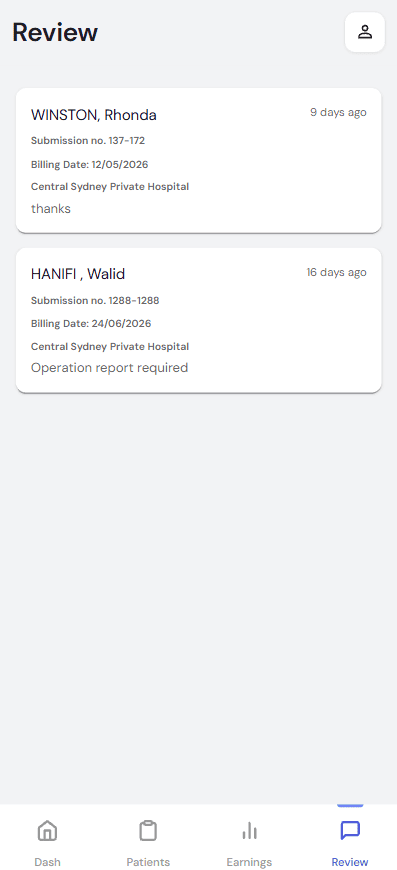
Tap the profile icon in the top-right corner.
Step 2 · Select Get Help
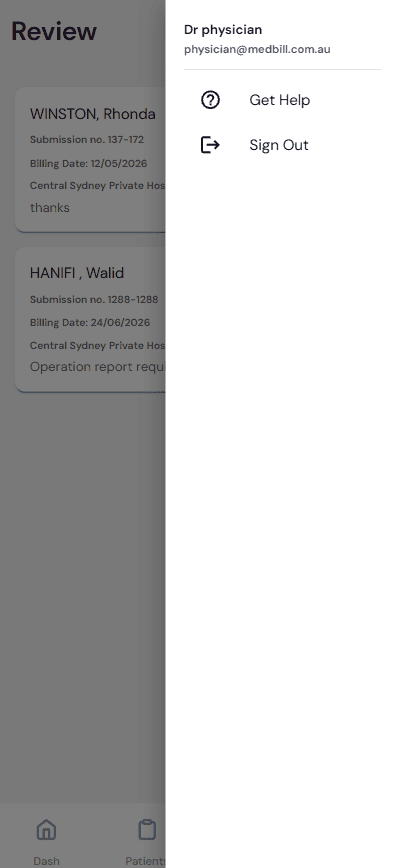
Choose Get Help from the menu.
Step 3 · Describe your request
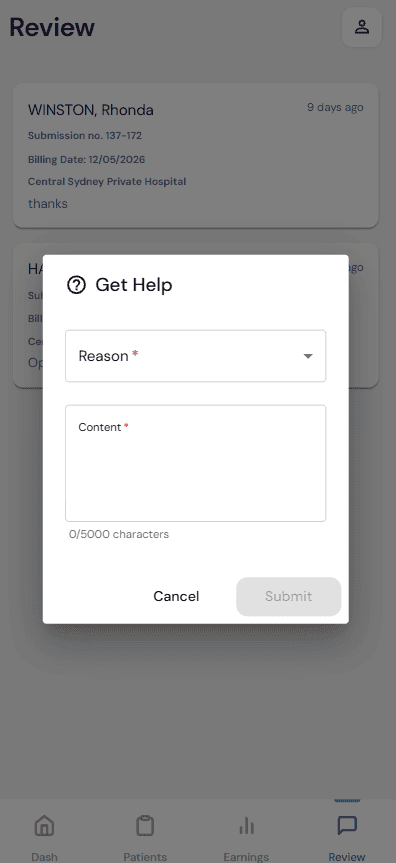
Pick a Reason, describe your request in Content, then tap Submit.
Choose a reason
The Get Help form offers four request types — pick the one that best matches your query:
Support Request / Question
General questions or help with your account, billing, or the app.
Add new provider number
Register an additional Medicare provider number against your account.
Follow up on a payment
Check the status of a payment or remittance you're expecting.
Refer a Doctor
Refer a colleague to Medbill so they can start billing too.
Response Time
The Medbill support team typically responds within 24–48 hours. For urgent billing issues, call 1300 MEDBILL.