2
Your Dashboard
What you billed, what is paid, and what still needs sending.
1Pick a period2Billed / paid / owed3Submission status4Finish pending days
Tap around the screen
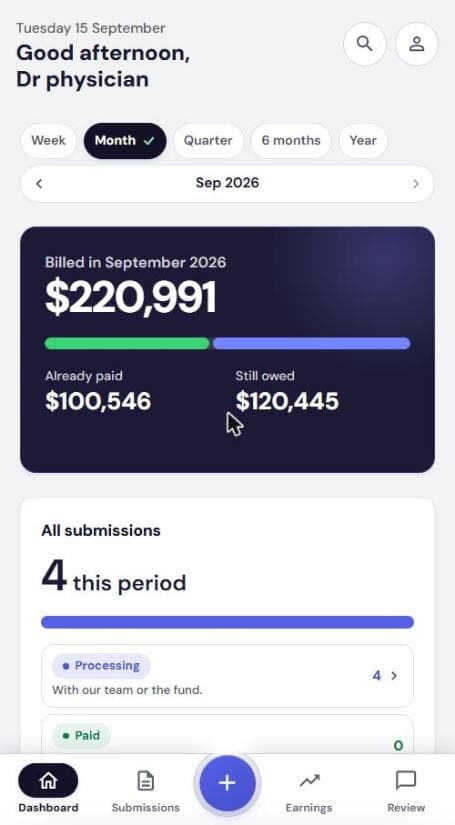
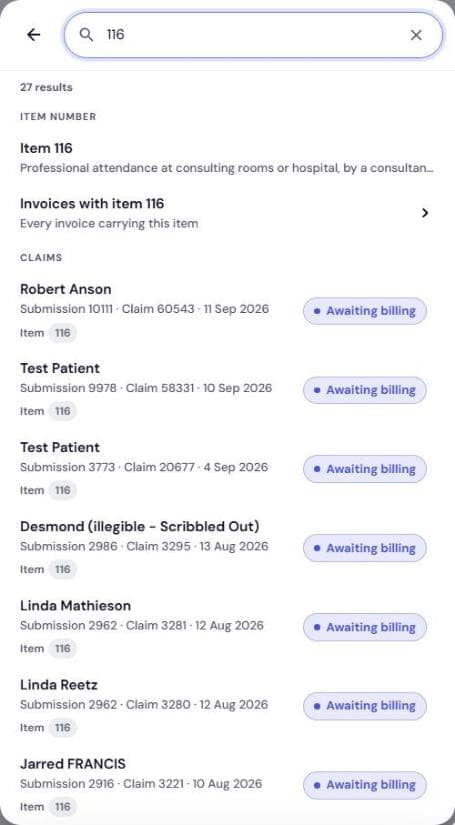
- 1SearchPatients, referrers, claims, item numbers. Type 3 letters.
- 2Your accountProvider numbers, Patients list, Get help, sign out.
- 3PeriodWeek, Month, Quarter, 6 months, Year. Everything below follows it.
- 4Step back or forwardArrows move one period. Tap the name to jump.
- 5Billed in [period]Total you billed. Tap Earnings for the breakdown.
- 6Already paid / Still owedThe bar splits the total. Green is in your account.
- 7Add billingThe +. Bill a patient or Upload billing sheet.
- 8SubmissionsEvery day's patients. Pending days need finishing.
- 9ReviewA number here means Medbill has a question for you.
Step by step
TOP OF THE SCREEN
1Period and money
- Pick Week to Year. Arrows step back
- Billed in: total for that period
- Bar: Already paid vs Still owed
SCROLL DOWN
2Submissions this period
- All submissions: everything this period
- Tap a status row to open that list
- Pending submissions: days not yet sent
- Tap a day to finish it
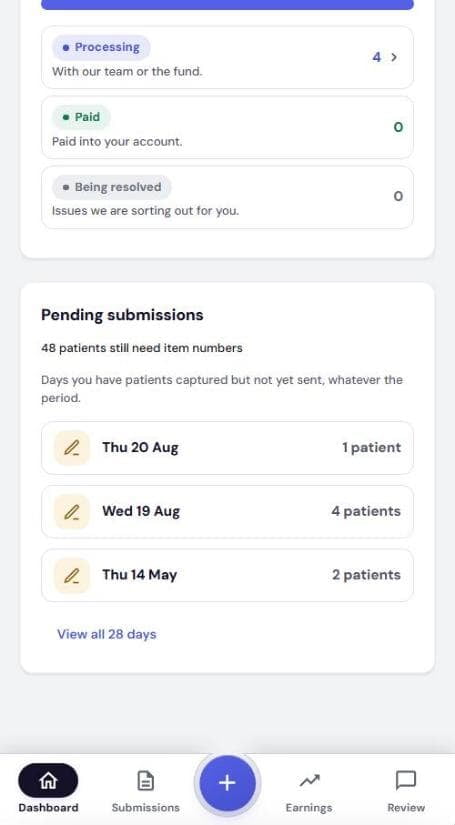
What each status means
Pending
Patients entered, not yet submitted. Finish and send.
Processing
With our team or the fund.
Paid
Paid into your account.
Being resolved
Issues we are sorting out for you. Nothing needed unless Review asks.
GETTING AROUND
3Top features and bottom bar
Top of the screen
- Magnifying glass: search patients, referrers, claims, items
- Person icon: account, provider numbers, Patients, Get help
- Pull down to refresh any main screen
Bottom bar
- Dashboard · Submissions · + · Earnings · Review
- + starts new billing
- A number on Review means a question is waiting